Ever dreamed of turning your craziest ideas into stunning art? With Stable Diffusion online, the power to do exactly that is now right at your fingertips. This new tech is changing how artists everywhere bring their visions to life. Whether you’re an experienced artist or new to digital art, this guide has you covered.
You’ll learn how this tool makes AI art creation easy for anyone with internet. It can create detailed images from simple text or change old artwork into something new. Let’s explore why millions of creators love this platform.
Stable Diffusion Online is an advanced AI image generation tool that allows users to create visuals directly from text prompts. You can try it directly through platforms like Stable Diffusion Web.
Key Takeaways
- AI-powered art generation transforms text prompts into visual masterpieces
- Web-based accessibility eliminates the need for complex software installations
- Both beginners and professionals can create stunning digital artwork
- Text-to-image capabilities provide endless creative possibilities
- This technology democratizes artistic expression for everyone
What is Stable Diffusion Online?
Stable Diffusion Online lets you make professional-quality art without expensive tools. It uses AI to turn your text into detailed images in seconds. It’s great for both beginners and experienced artists, making it easy to bring your ideas to life.

Stable Diffusion is a model that turns your text into pictures. It’s different from old art tools that needed years to learn. This tool lets you describe what you want, and it interprets your vision.
Overview of AI Art Generation
AI art has grown from simple filters to complex images. Early tools gave artists new brushes but needed human skill. Neural networks changed this by learning visual patterns on their own.
Online diffusion methods are the latest in AI art. They start with random noise and turn it into images based on your instructions. Each step adds detail until the image is complete.

Stable Diffusion Online works well on regular computers. You don’t need expensive hardware to create beautiful art. This makes AI art accessible to everyone, from hobbyists to businesses.
Key Features of Stable Diffusion
Stable Diffusion is open-source, allowing developers to improve it. The community has created many tools and extensions. This makes the platform more powerful every month.
Today, you can use web-based platforms that don’t need installation. Just type your prompt, and you get your image in moments. This ease has made it popular across many industries.
Stable Diffusion is efficient and doesn’t need expensive hardware. Unlike some systems, it can run on regular computers. This saves money and keeps your creations private.
You can customize Stable Diffusion Online to fit your needs. You can adjust how it interprets your prompts and control the detail in your images. This makes it a true creative partner.

How It Differs from Other AI Tools
Stable Diffusion Online is different from other AI art generators. Tools like DALL-E and Midjourney offer great results but are closed services. You rent access to their power, limiting your options.
Stable Diffusion gives you control over your creative process. You decide when and how to create, and where to run your projects. This is important for professionals who need consistent access.
Stable Diffusion is also more affordable. Many platforms offer free tiers or one-time payments, unlike subscription models. This flexibility is great for artists on a budget.
The community support for Stable Diffusion is strong. Thousands of developers contribute tutorials and new features. When you need help, finding it is easy through forums and documentation.
These differences make Stable Diffusion a key part of online diffusion methods. Its accessibility, control, and community support create a space where creativity can thrive.
Getting Started with Stable Diffusion Online
Setting up your Stable Diffusion Online account is quick and easy. It opens the door to endless creative possibilities. This guide will help you get started, whether you’re new or have some experience with AI tools.
The platform is easy to use, so you don’t need technical skills. Just follow these simple steps, and you’ll be ready to create beautiful artwork in no time.
Signing Up for an Account
To start, visit the Stable Diffusion website and click the registration button. You’ll need to enter a valid email address, create a strong password, and choose a unique username.
Most platforms require email verification. Check your inbox for a confirmation link and click it to activate your account. You might also need to provide more information like your country or how you plan to use the service.
After verification, you’ll be asked to set up your profile. This includes choosing your language, notification settings, and connecting social media accounts. These steps help tailor your experience and improve online diffusion accuracy.
Navigating the User Interface
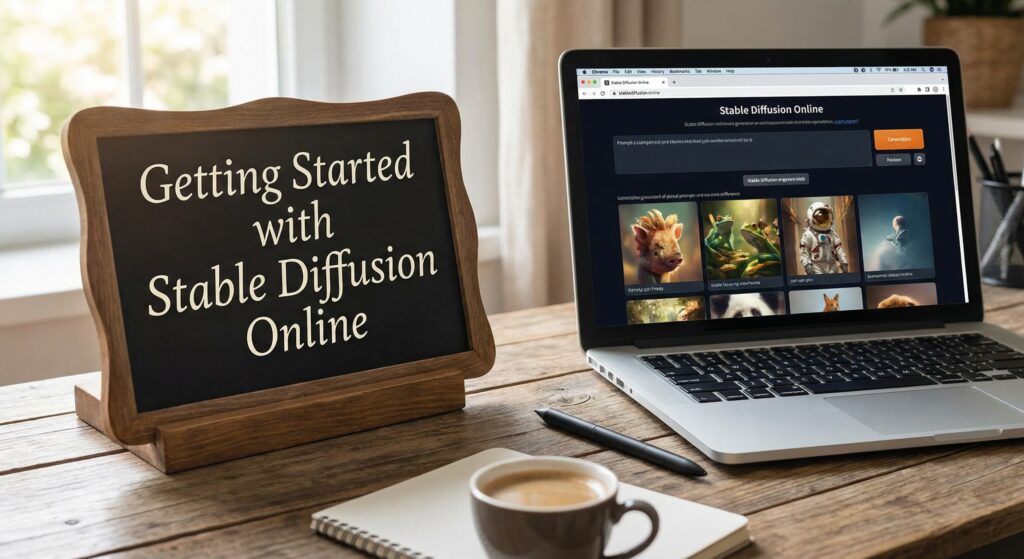
Once logged in, you’ll see the main dashboard. The center of the page has a prompt input area. This is where you describe the images you want to create.
Around the prompt box, you’ll find control panels. The style selector lets you choose artistic themes. The dimension controls set output sizes, and the advanced settings panel offers technical options.
The sidebar shows your creation history, saved favorites, and model selection dropdowns. Getting familiar with these areas will make your workflow smoother. Don’t be afraid to hover over icons and buttons for helpful tooltips.
Basic Setup Steps
Before creating your first image, set up some essential settings. Start by choosing your preferred model. Different models are good at different styles, so try a few to find the best fit for your vision.
Next, adjust your output settings. Choose your preferred image format, resolution, and whether you want multiple variations. Setting these defaults saves time and ensures consistency in your work.
Lastly, connect your preferred storage solution. Most platforms integrate with cloud storage, like Google Drive or Dropbox. This makes it easy to save and share your AI-generated artwork.
With these steps complete, you’re ready to explore AI art generation. The platform is now set up to your preferences, ready for you to create stunning visuals.
Understanding the Stable Diffusion Algorithm
The Stable Diffusion algorithm might seem complex, but it’s actually quite simple. It uses math to turn random noise into stunning images. By understanding this process, you can create better art and use advanced online tools more effectively.
Stable Diffusion Online works in two main steps. First, it adds random noise to an image until it’s unrecognizable. Then, it removes this noise step by step to reveal a clear image. This is where the magic happens.
How Stable Diffusion Works
In the reverse diffusion phase, the model makes smart choices about what noise to keep and what to remove. It uses patterns learned during training to refine the image. This process repeats many times, adding more detail to the artwork.
Your text prompt guides the entire process. The model uses it as a roadmap to create an image that matches your vision. This is why crafting your prompt is so important. Many users prefer web-based tools because they don’t require installation. Platforms such as Stable Diffusion Web allow you to generate AI art instantly in your browser.
The Role of Machine Learning
Stable Diffusion was trained on millions of images and text pairs. This training taught it to connect words with images. It learned about artistic styles, composition, and emotions.
When you describe something as “moody” or “vibrant,” the model uses this knowledge to make the right visual choices. This is why detailed prompts often lead to better results.
Benefits of Using Diffusion Models
Diffusion models have changed AI art generation in big ways. They create high-quality images with less effort and fewer errors. They also need less computer power than other methods, making them more accessible.
These models also offer more control over the final image. They handle complex prompts well, keeping the image coherent. This has made them the top choice for AI art today.
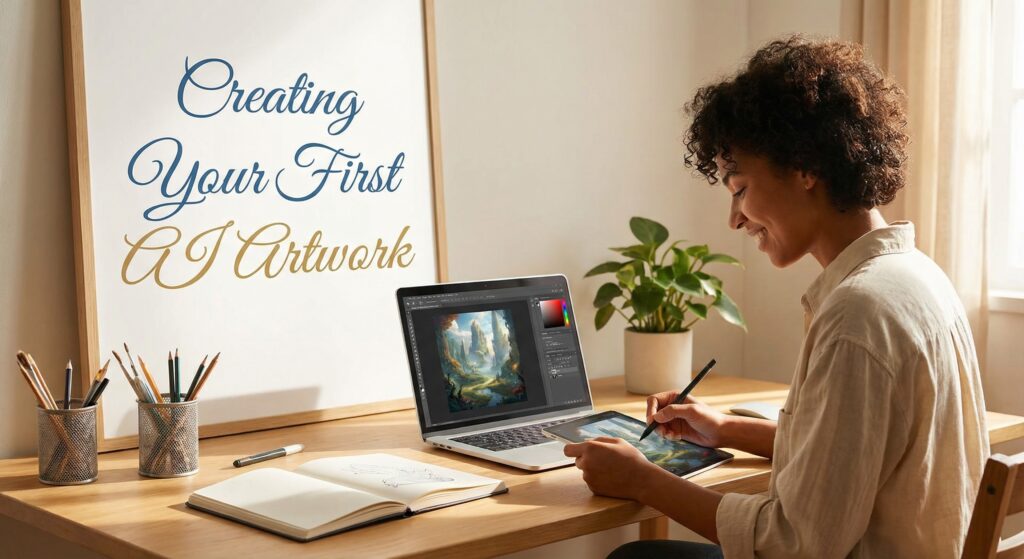
Creating Your First AI Artwork
Making your first AI artwork is simpler than you might think. This guide will show you how to go from typing your first prompt to tweaking settings for amazing images. You’ll learn how to turn simple text into beautiful art.
Start with your prompt. Think of it as the link between your mind and the digital canvas. The clearer your description, the better the AI can create.
Choosing a Prompt
The words you type shape what you see. A vague prompt like “a cat” might show any cat. But a detailed prompt like “a fluffy orange tabby cat sitting on a velvet cushion, soft natural lighting, photorealistic style” gets you closer to your vision.
Use words that create a vivid picture. Adjectives like “serene,” “vibrant,” or “ethereal” add depth. Mentioning artists like Van Gogh can influence the style. You can also specify time, camera angles, or lighting to fine-tune your image.
How you structure your prompt is key. Put the most important parts first. Use commas to separate ideas. Many artists find success with this format: [subject], [setting], [style], [lighting], [mood]. This helps the AI understand your vision and create a cohesive image.
Customizing Style and Output
Once your prompt is set, explore style options. Stable Diffusion online lets you choose from various artistic mediums. Each choice changes the image from the same prompt.
Try different art styles. For modern, use “pop art” or “minimalist.” For classical, try “Renaissance” or “impressionist.” Mixing styles can help you find your perfect image.
Don’t overlook output settings. Adjust image size and quality as needed. Higher quality means more detail but takes longer to render. Preview at lower settings first, then render at full quality when you’re happy.
Tips for Optimal Results
Getting the best results takes practice. Start simple and add details gradually. This makes it easier to see what each part adds.
Don’t stop at the first result. AI generation is a process. Run the same prompt several times to find variations. Save and mix elements from different generations to create your best work.
Pay attention to negative prompts too. They tell the AI what to avoid. Adding “blurry, distorted, low quality” helps improve your image. As you get better, you’ll know which adjustments make the biggest difference. Remember, every expert started where you are. Keep trying and enjoy the journey!
Advanced Features of Stable Diffusion Online
Ready to take your AI art to the next level? Stable Diffusion’s advanced features offer exciting possibilities. They can transform your creative output. Once you’ve mastered the basics, these tools give you finer control and more personalized results.
The platform has several advanced capabilities for professional-quality artwork. Knowing these features helps you develop your own stable diffusion technique. This way, you can get the best diffusion online experience.
Adjusting Parameters for Fine-Tuning
For precise control over your images, adjusting parameters is key. The guidance scale controls how closely the AI follows your prompt. Higher values (around 7-12) make images closely match your description. Lower values give the AI more creative freedom.
Seed values start the image generation process. Using the same seed with identical settings produces consistent results. This is useful for refining a concept. Experimenting with different seeds while keeping other settings constant shows how randomness affects outcomes.
Sampling steps affect image quality and detail. More steps (50-100) produce smoother results but take longer. For quick experiments, 20-30 steps often suffice. Finding the right balance between quality and speed comes with practice.
Incorporating Personal Images
The img2img feature transforms your photos or artwork using AI interpretation. It analyzes your input image and generates a new version based on your text prompt. You can apply different styles while keeping certain elements of your original image.
Style transfer becomes simple with this feature. Upload a photo of a landscape, then prompt for a painting effect. Suddenly, your photograph looks like an impressionist masterpiece. The strength slider controls how much the AI deviates from your original image. Lower values keep more of your source, while higher values create more dramatic transformations.
This capability opens creative possibilities for photographers, illustrators, and designers. Many artists use img2img as a creative springboard. It generates unexpected results that spark new ideas.
Utilizing Pre-trained Models
Community-created models expand your creative toolkit. These models excel at specific styles, subjects, or techniques. Some models produce photorealistic images, while others specialize in anime, fantasy art, or architectural visualization.
Downloading and installing new models is straightforward. Most models are available through popular sharing platforms. They include documentation explaining their strengths. Trying different models helps you discover which ones align with your artistic vision.
Experimentation drives mastery in AI art. Combining parameter adjustments with different models produces unique results. Your creative journey evolves as you develop personalized workflows using these advanced features.
| Parameter | Recommended Range | Effect on Output |
|---|---|---|
| Guidance Scale | 7-12 (strict) / 3-6 (creative) | Controls prompt adherence vs artistic freedom |
| Sampling Steps | 20-30 (draft) / 50-100 (final) | Balances quality against generation time |
| Img2img Strength | 0.3-0.5 (subtle) / 0.6-0.8 (dramatic) | Determines transformation intensity |
These advanced capabilities form the foundation of an effective stable diffusion technique. Whether fine-tuning parameters, transforming personal images, or exploring new models, each feature contributes to achieving the best diffusion online results. Practice with these tools builds confidence and reveals your unique artistic voice.
Community and Resources
Finding your community in Stable Diffusion Online opens new doors. These groups are like living libraries where artists share ideas and solve problems together. They celebrate each other’s successes.
Online Forums and Support Groups
Reddit’s r/StableDiffusion is a key place for enthusiasts. It’s filled with daily talks on everything from prompts to hardware. People share their work, ask questions, and discuss AI art.
Discord servers are also key. The official Stable Diffusion Discord and others offer live chats. They have channels for all skill levels, helping everyone find useful conversations.
GitHub and Hugging Face have specialized communities. These spaces focus on technical details and model sharing. By participating, you build connections and learn more about stable diffusion.
Tutorials and Guides
The official Stable Diffusion documentation is a great starting point. It keeps up with new features and best practices. It’s essential for staying updated.
Community-created content offers practical insights. YouTube tutorials cover techniques from basic prompts to advanced workflows. Experienced artists break down complex topics into easy lessons.
Written guides on blogs and documentation sites are also valuable. They let you learn at your own pace. Many creators share their workflows and settings, helping you find your style.
Showcase of User Creations
Looking at user creations is inspiring. The community has made stunning works, from portraits to fantasy landscapes. It shows what’s possible with Stable Diffusion.
These showcases reveal different styles and techniques. By studying successful works, you can learn about prompts and visual effects. Many artists share their prompts and settings, helping you recreate their work.
Joining community challenges and events is another way to grow. They encourage you to try new things and connect with like-minded creators. The feedback you get helps improve your skills and confidence.
Ethical Considerations in AI Art
Stable Diffusion opens up new creative possibilities. But it also raises important ethical questions. Every artist should think about these concerns to create responsibly and protect themselves and others.
Copyright and Ownership Issues
Creating art with Stable Diffusion Online raises questions about ownership. In the United States, AI-generated works are not protected like human-created art. Your rights as a creator depend on the amount of human input in the final piece.
Different places have different rules about AI art ownership. Some say it’s public domain, while others are figuring it out. Developers are working on clearer guidelines, but the laws keep changing.
To protect yourself, document your creative process. Keep records of your prompts and any changes you made. This can help prove your ownership if needed.
Responsible Use of AI Tools
Being mindful of what you create is key in the AI art world. Generating images of real people without their consent is a serious issue. It can lead to ethical and legal problems.
Stable Diffusion’s accuracy comes with a responsibility. Avoid creating harmful or offensive content. Think about how your creations might affect others before sharing them.
Many artists follow guidelines for responsible use. These best practices help keep the community positive and safe for everyone.
Addressing Plagiarism Concerns
Some wonder if AI art can be truly original. Stable Diffusion online combines images in new ways, but it’s influenced by its training data. You should be aware of this.
When sharing AI art online, being open about its creation builds trust. Many platforms now ask for disclosure if content is AI-assisted.
Respecting other artists means not copying their style without credit. Use AI as a starting point to develop your own style. This way, you can be creative while respecting others’ work.
Comparing Stable Diffusion Online to Other AI Generators
Stable Diffusion shines in the AI art world, but how does it stack up against DALL-E, Midjourney, and others? Knowing the differences helps you pick the best tool for your creative needs. Whether you’re a hobbyist or a pro, this comparison gives you the facts you need.
Performance Metrics
Three key metrics are important when comparing AI art generators: image quality, speed, and resource needs. Stable Diffusion often matches or beats closed-source rivals in image quality, thanks to good prompts and models. Speed depends on your computer, with fast results on strong GPUs.
Stable Diffusion gives you more control than cloud services. You can tweak many settings to perfect your art. It also lets you make many images at once, which is great for big projects.
But, Stable Diffusion needs more from your computer. This means you avoid the costs of cloud services. It’s a trade-off to consider.
Unique Advantages
Stable Diffusion has some big pluses. Being open-source means the community keeps improving it. You can also change the code to fit your needs, which builds trust and speeds up progress.
Its customization options are also a big plus. You can try different models, install custom versions, and use LoRA adapters to change styles. This lets you create unique art, not just use filters.
Privacy fans will like running Stable Diffusion on their own computer. Your work stays private, which is key for commercial or sensitive projects. This isn’t possible with most cloud services.
User Experience
Stable Diffusion has a learning curve. Basic use is easy, but mastering advanced features takes time. Tools like Automatic1111’s WebUI or ComfyUI offer complex but rewarding environments for those willing to learn.
Other platforms focus on being easy to use. Midjourney’s Discord setup and DALL-E’s simple interface are great for those who value simplicity. Your choice depends on whether you want ease or control.
Community support is another big difference. Stable Diffusion has a huge online community, with lots of resources and forums. This helps new users learn and solve problems faster than with proprietary tools.
In the end, Stable Diffusion is best for those who want control, privacy, and customization. Other tools might be better if you need quick results and simplicity. Many artists use different tools for different projects, choosing the best for each task.
Monetizing Your AI Art
Turning your creative output into income is an exciting journey. Many artists are now exploring this path. With AI art tools, there are more opportunities than ever to share your work and earn money.
The key to making money from your AI-generated artwork lies in finding the right platforms, building meaningful connections, and presenting your work in a way that attracts buyers. This section will walk you through the practical steps you can take to start earning from your creations using the best diffusion online tools available today.
Selling Digital Art Online
There are several ways to sell your AI art online. Choosing the right platform depends on your goals and the type of work you create. Dedicated AI art marketplaces like ArtStation, DeviantArt, and specialized platforms such as Generated.photos focus on AI-generated content.
General digital art platforms like Etsy, Creative Market, and Gumroad also welcome AI artwork. These platforms attract buyers who understand and appreciate the value of AI art. When it comes to pricing your work, consider factors like the complexity of the piece, the time invested in prompt refinement, and the market demand for similar styles.
Many artists start with lower prices to build a customer base, then gradually increase rates as their reputation grows. Offer different licensing options to reach more buyers. For example, personal use licenses typically cost less than commercial licenses, which allow buyers to use the artwork in their own projects or products.
Presenting your work effectively is key for attracting buyers. High-quality previews, detailed descriptions, and clear licensing terms help customers understand what they are purchasing. Adding a brief story about how you created the piece using stable diffusion online can make your listing more engaging and personal.
Collaborating with Other Artists
Working with other artists can open new doors and help you create unique pieces. Collaboration might involve combining your AI generation skills with a traditional artist’s drawing or painting abilities. For instance, you could use AI to generate a base image and then have a human artist add hand-drawn details or color adjustments.
Joint projects with other AI artists can also be profitable. By pooling your resources and sharing your audiences, you can create larger collections, run joint promotions, and reach more buyers. Many successful collaborations happen in online communities where artists discuss their processes and find partners whose styles complement their own.
Building these relationships takes time and effort, but the rewards can be significant. Not only do collaborations expand your portfolio, but they also help you learn new techniques and gain exposure to different artistic communities.
Marketing Strategies
Effective marketing is essential for turning your art into a sustainable income source. Social media platforms like Instagram, Twitter, and TikTok are powerful tools for showing your work and connecting with buyers. Posting regularly, using relevant hashtags, and engaging with your followers helps you build a loyal audience over time.
Creating a professional portfolio website gives you a centralized place to display your work. Include an about page, contact information, and clear pricing for different licensing options. Email newsletters are another effective way to keep your audience updated on new releases and special offers.
Engaging with online communities is also valuable. Participating in forums, Discord servers, and Reddit groups focused on AI art helps you connect with fellow creators and customers. Sharing your knowledge and supporting others builds your reputation as an authority in the field.
Here is a quick comparison of popular platforms for selling AI art:
| Platform | Type | Best For | Fees | Audience |
|---|---|---|---|---|
| Etsy | General Marketplace | Print-on-demand, digital downloads | Transaction fee + listing fee | General consumers, gift buyers |
| ArtStation | Professional Portfolio | High-quality concept art, prints | 15% on prints | Professional artists, game studios |
| Creative Market | Digital Assets | Graphics, templates, fonts | Transaction fee | Designers, marketers |
| Gumroad | Direct Sales | Digital downloads, courses | 10% per sale | Independent creators, fans |
| DeviantArt | Community Platform | Community engagement, prints | Variable | Art enthusiasts, collectors |
Remember that success in monetizing your AI art takes time and persistence. Keep experimenting with different platforms, refine your marketing approach, and most importantly, continue creating work that you are passionate about. Your unique voice as an artist using the best diffusion online tools will ultimately set you apart in this growing market.
Future Developments in Stable Diffusion Online
The world of AI art is always changing. To stay ahead, it’s important to know what’s coming next. Developers are working on new stable diffusion solutions. These will give you more power and flexibility.
These updates aim to make the tool easier to use. They also want to expand what you can create. Knowing about these changes helps you plan your creative journey.
Upcoming Features and Updates
Several exciting updates are coming for Stable Diffusion. Developers are working on improving image quality and making it faster to generate artwork. You can expect better control over fine details and more intuitive prompt handling.
Updates will also make it smoother to integrate with other creative tools. They will address common pain points, like improving text rendering. You’ll also see more artistic styles available.
Another focus is on cloud-based options. These will provide online diffusion stability for users without powerful hardware. You’ll be able to work from any device without losing performance. Mobile support is also expected to improve, making it easier to create on the go.
Trends in AI Art Technology
The field of AI art is evolving fast. New model architectures are making generation faster and more accurate. Training techniques are becoming more efficient, leading to more nuanced results.
You’ll see more specialized models for specific artistic styles or industries. These targeted solutions cater to professionals who need precise results. Expect better tools for editing and refining AI-generated images, making the gap between initial generation and final artwork smaller.
Impact on the Digital Art Landscape
These developments are changing how art is created and consumed. Traditional artists are using AI tools in their workflows. This creates hybrid pieces that blend human creativity with machine capability.
This shift is opening new creative frontiers. The value of art is also changing. Original human-created pieces gain new significance, while AI-assisted works create their own market.
As these tools become more accessible, more people can participate in digital art creation. This leads to more diverse voices and perspectives in the creative community.
You now have a solid foundation to explore Stable Diffusion online and create impressive AI artwork. The journey ahead is filled with creative possibilities waiting for your unique touch.
Recap of Advantages
This guide showed you how online diffusion methods make AI art accessible to everyone. Stable Diffusion Online gives you powerful tools to transform text descriptions into visual masterpieces. The platform offers extensive customization options, allowing you to fine-tune every aspect of your creations.
A vibrant community stands ready to support you, share techniques, and inspire your artistic growth.
Encouragement to Start Creating
The best way to learn is through hands-on experimentation. Your first attempts do not need to be perfect—each iteration builds your skills and understanding. Advanced online diffusion strategies become easier with practice, and the learning curve flattens quickly as you gain confidence.
Start with simple prompts and gradually explore more complex artistic directions.
Links to Additional Learning Resources
Continue your education through official Stable Diffusion documentation, which provides detailed technical guides. Community forums offer real-world tips from experienced creators. Video tutorials on platforms like YouTube demonstrate advanced techniques.
Online courses from educational websites can deepen your understanding of AI art principles. If you want to start creating AI-generated art today, you can explore Stable Diffusion Online and test different prompts directly in your browser.
Your creative adventure begins now. The tools, community, and resources are in place—all you need to do is take that first step.
FAQ
1. What is Stable Diffusion and how does it work?
Stable Diffusion is an AI tool that turns text prompts into images. With Stable Diffusion online, you can generate artwork directly in your browser without installing complex software. You simply describe what you want, and the model creates visuals based on your input.
2. What makes Stable Diffusion different from DALL-E or Midjourney?
Stable Diffusion is open-source, which means developers can customize and improve it. It offers more control over settings and can be run locally for privacy. Many creators prefer it for flexibility and cost efficiency.
3. How do I start using Stable Diffusion online?
To start using Stable Diffusion online, simply sign up on a platform that provides browser access to the tool. After creating an account, enter your text prompt and adjust the main settings. The interface is beginner-friendly and easy to navigate.
4. What are the key features of Stable Diffusion?
It converts text into images, supports multiple artistic styles, and allows image-to-image transformation. Users can adjust resolution, guidance scale, and sampling steps. Community models also expand creative possibilities.
5. How does the Stable Diffusion algorithm work?
It uses a method called latent diffusion, which starts from random noise and gradually refines it into an image. The model was trained on millions of text-image pairs. This allows it to understand prompts and generate detailed visuals.
6. How can I write better prompts?
Be specific and describe style, subject, lighting, and mood clearly. Place the most important details first. Experimenting and refining your prompts helps improve results over time.
7. Can I use my own images with Stable Diffusion?
Yes, the img2img feature lets you upload an image and transform it with a text prompt. You control how much the original image changes. This is useful for stylizing photos or refining sketches.
8. Can I sell artwork created with Stable Diffusion?
In most cases, yes — many artists monetize AI-generated art. You can sell prints, digital files, or offer custom work. Always check platform rules and local copyright regulations.
9. What are the main advantages of Stable Diffusion?
It is flexible, customizable, and supported by a strong community. You can run it locally or online depending on your needs. It works for both beginners and professional creators.
 20
20
 25
25
 33
33