Did you know that a large portion of web pages never appear in Google search results? It’s surprising to think your hard work might not be seen by your audience. You’re not alone if you’re frustrated by this digital challenge. Seeing your content marked as found but not indexed in Search Console can be a big problem. This means Google knows your URL but hasn’t indexed it yet. Understanding how search engines work is key to fixing your site’s ranking. You want your site to rank well and attract new visitors every day. Any page discovered but not indexed stays hidden from your target audience.
If you notice a page discovered but not indexed, it’s important to act quickly to avoid losing potential visitors. Let’s look at why this happens and how to fix it fast. These steps will help you get more organic traffic and improve your online presence.
Key Takeaways
- Distinguish between crawling and the final index process.
- Identify technical errors that block search engine bots.
- Improve content quality to meet high ranking standards.
- Strengthen internal links to guide Google to new content.
- Monitor site health using specialized search tools.
Understanding the ‘Page Discovered But Not Indexed’ Status
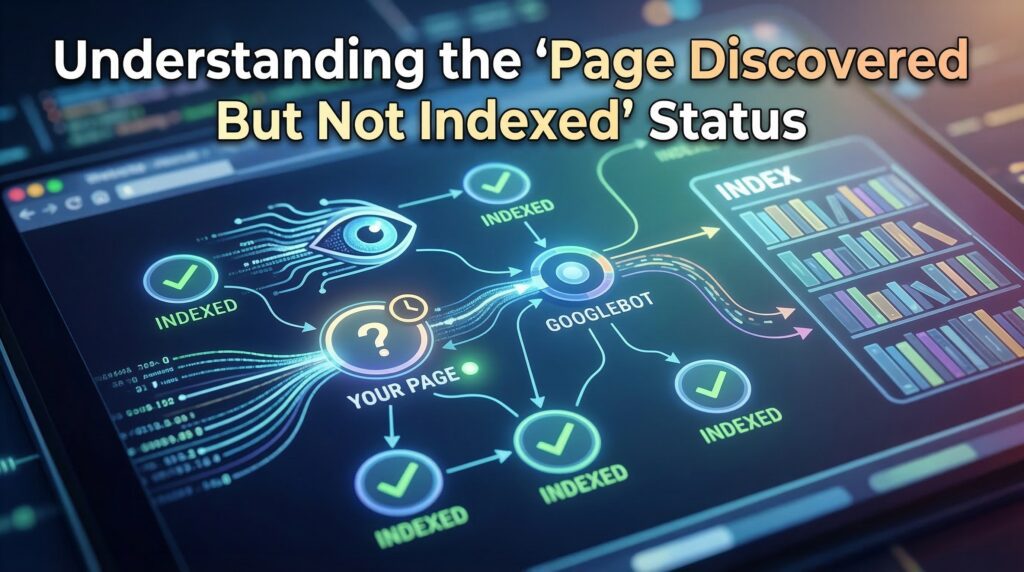
It’s important to know why a page is seen by search engines but not indexed. This means search engines like Google know about the page but don’t add it to their list. This is a big problem for your website’s visibility. A page discovered but not indexed means your content is invisible to search engines and users alike.
What Does It Mean?

The “Discovered – currently not indexed” status means Google knows the URL exists but has not crawled it yet. This usually happens when Google prioritizes other pages for crawling due to crawl budget limits, low crawl priority, or server performance concerns.
Sometimes, a page discovered but not indexed is simply waiting for Google to allocate more crawl resources.
Importance in SEO
Indexing is key for your pages to show up in search results. Without it, your content can’t rank, making it invisible to visitors. Google Search Console (GSC) is a great tool for checking your pages’ indexing status and finding problems.

With GSC, you can see how Google crawls and indexes your site. If you see a page discovered but not indexed in your reports, it’s a sign to review your site’s technical health. It gives you insights to fix issues that stop your pages from being indexed.
| Indexing Status | Description | Action Required |
|---|---|---|
| Indexed | Page is included in Google’s index | Monitor and maintain |
| Discovered – currently not indexed | Page is known to Google but not crawled yet | Improve crawl signals |
| Not Discovered | Page has not been found by Google | Improve internal linking |
To get your site indexed better, make sure your content is high-quality and unique. Also, make sure your site is technically sound. A common issue is having a page discovered but not indexed due to technical misconfigurations.
Common Reasons for Page Discovered But Not Indexed
When a page appears with the status “Discovered – currently not indexed”, it means Google knows the URL exists but has not crawled it yet. This usually happens when Google decides to postpone crawling because other pages on the web have higher priority.
Several factors can cause this situation, and understanding them can help you resolve the issue faster. One frequent scenario is a page discovered but not indexed because of duplicate content or thin pages.


Technical Errors
Technical problems can really hurt your site’s indexing. These issues include:
- Crawl errors that stop search engines from getting to your content
- Server errors, like 500 internal server errors, showing a server problem
- Wrong use of meta tags, like the noindex tag, which can block indexing
Google’s URL inspection tool can help find and fix these technical problems. If you fix errors but still see a page discovered but not indexed, check for deeper server or crawl issues.
Website Configuration Issues
Your website’s setup is key for search engines to crawl and index your pages. Problems like:
- Misconfigured robots.txt files that block search engine crawlers
- Wrong meta tags or HTTP headers that stop indexing
can stop the indexing process. It’s important to make sure your website is set up right for SEO.
Duplicate Content
Duplicate content, whether on your site or elsewhere, can cause indexing problems. Search engines want to show unique and original content to users. If your content is duplicated:
- Search engines might have trouble figuring out the original or most important version
- This can weaken your ranking signals, which can hurt your SEO
To avoid this, create unique and valuable content for your users.
Crawl Budget Limitations
Large websites often face crawl budget limitations. If your site contains thousands of URLs, Google may prioritize crawling the most important pages first while delaying others. Pages with low priority might remain in the “discovered” state for a longer time. Large sites often have many instances of page discovered but not indexed due to limited crawl budgets.
Slow Server Response
If your server responds slowly, Google may reduce how frequently it crawls your website. Search engines try to avoid overloading slow servers, which can lead to delays in crawling newly discovered URLs.
Too Many Low-Quality Pages
Websites that publish large numbers of thin or low-value pages may experience crawling delays. When Google detects many low-quality pages, it may limit how many URLs it crawls from that domain.
Weak Internal Linking
Internal links help search engines understand which pages are important. If a newly discovered page has very few internal links pointing to it, Google may treat it as a low-priority URL and delay crawling.
New Website or New Pages
New websites often experience this status because Google is still learning the structure and importance of their pages. Over time, as the site gains authority and backlinks, crawling usually becomes more frequent.
If you want to resolve this issue faster, focus on improving internal linking, maintaining high-quality content, and ensuring your website performs well technically. These signals help Google prioritize crawling and indexing your pages.
Monitoring Your Site’s Indexing Status
To make sure your website shows up well in search results, keep an eye on its indexing status. Use different tools and methods to see how search engines see your site. This helps spot problems that might affect how visible your site is. Regularly checking for page discovered but not indexed can help you catch indexing issues early.

Tools for Monitoring
Many tools can help you watch your site’s indexing status. Google Search Console (GSC) is a top choice. It shows how Google crawls and indexes your site. This helps find problems that might hurt your SEO.
Some key features of GSC include:
- The URL inspection tool, which lets you check if specific pages are indexed.
- Coverage reports, which give an overview of how Google indexes your site.
- Sitemap submissions, which make sure Google knows about all your site’s pages.
Third-party SEO software can also help monitor indexing status. It offers more insights into your site’s performance.
How to Check Indexing
Checking your site’s indexing status is easy. First, use the URL inspection tool in GSC to see if a page is indexed. Just enter the URL, and GSC will tell you its indexing status.
To check your whole site’s indexing status, use the coverage report in GSC. This report shows any issues stopping pages from being indexed. If you find a page discovered but not indexed, address the underlying cause before requesting reindexing. It helps you fix these problems.
Checking your site’s indexing status often is key for SEO troubleshooting. It ensures your site stays visible in search engine results.
Google Search Console Insights
Google Search Console gives you important insights into how Google views your site. It shows how Google crawls, indexes, and displays your site in search results. With GSC, you can learn more about your site’s performance and find areas to improve.

Using GSC to Identify Issues
To make the most of GSC, you need to know its features and reports. It’s great for spotting issues that might affect your site’s indexing. For example, it can warn you about crawl errors, security problems, or sitemap issues.
Here are some key features to focus on:
- Crawl Errors: GSC reports on URLs that Googlebot couldn’t crawl successfully. Fixing these errors is key to getting your content indexed.
- Security Issues: GSC alerts you to security problems, like hacked content or malware. These can hurt your site’s credibility and indexing.
- Sitemap Submissions: Submitting a sitemap through GSC helps Google understand your site’s structure. This can improve indexing.
Google’s webmaster guidelines say keeping your site secure and easy to crawl is important for good indexing.
Understanding Coverage Reports
The Coverage Report is a key part of GSC, showing how Google indexes your site. It breaks down your site’s URLs into “Indexed,” “Not Indexed,” and “Excluded” statuses.
Here’s what these statuses mean:
| Status | Description |
|---|---|
| Indexed | URLs that have been successfully indexed by Google. |
| Not Indexed | URLs that Google has found but not indexed. This could be for reasons like duplicate content or technical issues. |
| Excluded | URLs that Google has chosen not to index, often because of meta tags or site settings. |
“Understanding the Coverage Report is key to identifying and resolving indexing issues on your site.”
By checking the Coverage Report often and fixing any problems, you can boost your site’s indexing. This will help your site show up better in search results.
How to Resolve Indexing Issues
To fix your website’s indexing problems, it’s key to know how. Issues can come from technical problems, bad content, or not following search engine rules.
How to Fix “Discovered – Currently Not Indexed”
-
Improve internal linking
-
Submit the URL in Google Search Console
-
Optimize page speed
-
Remove thin content
-
Update your sitemap
Troubleshooting Steps
Fixing problems needs a step-by-step plan. Here are some steps to take:
- Technical Audit: Check your website’s tech to find crawl errors or server issues that block indexing.
- Content Optimization: Make sure your content is top-notch, relevant, and useful. This means improving meta tags, headings, and content layout.
- Compliance Check: Make sure your site follows search engine rules, avoiding bad practices like keyword stuffing.
“The most important thing is to have a good understanding of your website’s structure and content to identify any issues.”
Submitting for Reindexing
After fixing problems, you need to ask search engines to index your site again. Here’s how:
- Sitemap Submission: Sending a sitemap helps search engines grasp your site’s layout and content, making indexing easier.
- URL Inspection Tool: The URL inspection tool in Google Search Console lets you test and ask for indexing on specific pages.
| Method | Description | Use Case |
|---|---|---|
| Sitemap Submission | Helps search engines understand your site’s structure | New or significantly updated content |
| URL Inspection Tool | Test and request indexing for specific URLs | Urgent indexing needs or troubleshooting |
By following these steps and making sure your site is tech-savvy and follows search engine rules, you can fix indexing problems well.
Best Practices for Ensuring Indexing
To boost your site’s indexing, focus on quality content and site structure. These steps can greatly improve your site’s visibility and attract more organic search traffic.
Quality Content Creation
Creating engaging content is key for indexing. Your content should be unique, relevant, and valuable to users. Avoid duplicate content and make sure each page has its own purpose.
Make original content that meets your audience’s needs. Use clear language and include keywords naturally. This makes your content easy to read and boosts its search visibility.
Optimizing Site Structure
Site structure is also vital for indexing. A well-organized site helps search engines crawl and understand your content. Ensure your site is mobile-friendly and loads fast, as these are important for ranking.
Use descriptive URLs and organize your content logically. Use header tags (H1, H2, H3, etc.) to structure your content. This makes it easier to read and understand.
By improving both content quality and site structure, you can enhance your site’s indexing. This will improve its performance in search engine results.
Impact of Page Discovered But Not Indexed
It’s important to know how not indexing pages affects your online presence. When search engines like Google find your pages but don’t index them, it can hurt your site’s performance a lot. A site with many page discovered but not indexed warnings may struggle to gain organic visibility.
Effects on SEO Performance
Not indexing means your content can’t be seen by search engines. This affects your site’s visibility and trustworthiness. Search engines use indexed content to judge a website’s relevance and authority.
Also, having many non-indexed pages can weaken your site’s SEO. Search engines might think your site has lower quality or less relevant content. This could lower your site’s ranking.
Potential Traffic Loss
Pages that aren’t indexed can’t show up in search results. So, people looking for what you offer might not find your site. This leads to lost traffic.
| Page Status | Visibility in Search Results | Potential Traffic | SEO Contribution |
|---|---|---|---|
| Indexed | High | High | Yes |
| Non-Indexed | None | Low | No |
In summary, non-indexed pages can badly hurt your site’s SEO and traffic. Making sure your pages are indexed is key to keeping your site visible and trusted online.
Frequently Asked Questions
The ‘discovered but not indexed’ status can be puzzling for webmasters and SEO professionals alike. As you dive into search engine optimization, knowing about crawling and indexing is key.
Let’s tackle some common questions about indexing issues. Many webmasters ask why they see page discovered but not indexed in their Search Console and how to resolve it.
What to Do If Pages Remain Unindexed?
If your pages stay unindexed, checking and following webmaster guidelines is vital. Make sure your site meets these rules to avoid problems.
Also, fix technical errors, improve your site’s structure, and create top-notch content. These steps can help fix indexing issues.
Can Non-Indexed Pages Rank in Search Results?
Usually, non-indexed pages can’t rank in search results because they’re not in the search engine’s index. So, it’s important to fix indexing problems to make your content seen and competitive.
Understanding crawling and indexing helps you improve your site’s visibility and ranking.
When to Seek Professional Help
Many indexing problems can be fixed by yourself. But, some issues need a pro’s touch. If you’re stuck with ongoing problems or complex SEO issues, it’s time to ask for help.
Recognizing Complex Issues
Some problems, like persistent indexing issues or complex SEO challenges, need a pro. If you’ve tried everything and nothing works, it’s time to get expert advice. This can help make your site more visible and boost your search traffic.
The Role of SEO Experts
SEO experts can offer custom solutions for tough problems. They can help improve your site’s indexing and boost your SEO efforts. Getting professional help can save you time and ensure your site gets the best care to attract more visitors.
FAQ
What does it mean when Google Search Console shows my status as “Discovered – currently not indexed”?
This status means Google has found your URL, possibly through a sitemap or a link. But it hasn’t crawled it yet. It’s a common issue where Google knows your page exists but hasn’t indexed it yet. This is often because Google prioritizes other content on your site.
How can I use the URL inspection tool to resolve this problem?
The URL inspection tool in Google Search Console shows how Google views your page. If you’ve updated content or fixed technical errors, use it to “Request Indexing.” This tells Google your page is ready to be crawled and indexed.
What is the direct ranking impact of having pages that are discovered but not indexed?
Not being in Google’s index means your page can’t show up in search results. This means no organic search traffic for those keywords. It can hurt your site’s visibility and marketing campaign performance.
Can technical errors in my robots.txt file prevent my pages from being indexed?
Yes, technical errors in your robots.txt file can block Googlebot from accessing your site. Always check your configuration to ensure it’s not blocking valuable content.
Why is my organic search traffic dropping even though I am publishing new content?
If your new pages are not indexed, they’re not helping your site’s reach. This can happen if the content is too similar or doesn’t add enough value. Improving your content quality and uniqueness is key.
How long does it typically take for Google to fix an indexation issue?
The time varies based on your site’s “crawl budget” and content quality. Optimizing your site structure and submitting your sitemap can speed up the process.
Does duplicate content really stop Google from indexing my pages?
Yes, it can. Google wants diverse results. If your page is too similar to another, Google might not index it. Make sure each page offers a unique perspective.
When should I seek professional SEO help for indexing problems?
If you’ve followed all webmaster guidelines and your pages aren’t indexed after weeks, seek help. Complex issues can be hard to solve alone. A professional can help you recover your traffic more efficiently.