Imagine watching a movie without sound. The excitement disappears, leaving only silence. Audio shapes our feelings and brings life to every scene. Without the right sound, even the best visuals feel empty. The subtle rustle of leaves or a distant echo can ground a viewer in your story. You should aim to create stories that deeply connect with your audience. That’s why choosing the right free sound effects for videos is essential for making your content truly immersive. Finding a top-notch video sound library shouldn’t cost a lot. We aim to guide you to find excellent assets that enhance your work without spending a penny.
Every creator needs tools that spark creativity and keep viewers engaged. By choosing the right sounds, you make your content unforgettable. These professional assets turn simple clips into engaging experiences. Let’s explore these free resources and dive into the world of professional production together. Platforms like 99Sounds offer high-quality cinematic sound effects and sample packs that can instantly elevate your video production.
Key Takeaways
- High-quality audio increases viewer retention and emotional engagement.
- Many digital platforms offer professional audio assets at no cost.
- A diverse audio collection helps maintain production variety and depth.
- Thematic consistency is vital when selecting foley or background music.
- Proper licensing ensures your work stays safe on major social media platforms.
Why Free Sound Effects for Videos Matter in Video Production
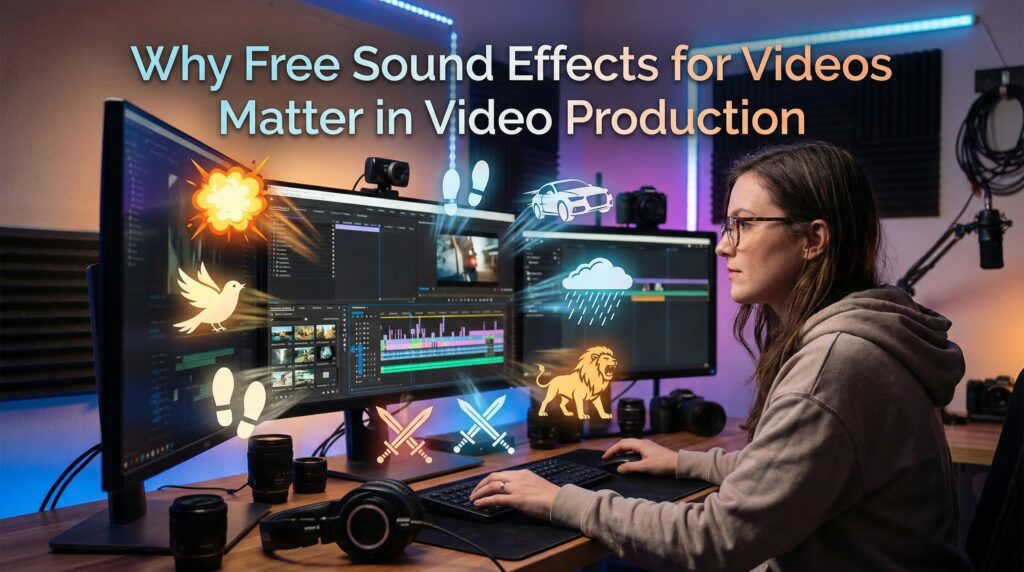
In video production, sound effects are key to a great viewing experience. They’re not just extras; they’re essential for keeping your audience engaged and immersed. Using free sound effects for videos can instantly make your content more dynamic and professional.
Enhance Your Storytelling

Sound effects add depth and complexity to your story. For example, cinematic sound effects can pull your viewers into your world. This makes your story more believable and exciting.
By choosing the right sound effects, you can control how your audience feels. This keeps them hooked on your story.
Create a Mood or Atmosphere
Sound effects can set the mood or atmosphere of your video. Whether you want something tense or light-hearted, the right audio effects for film can do it. For instance, rain sounds can make a scene feel serious, while upbeat music can make it fun.
Improve Viewer Engagement
Sound effects also boost viewer engagement. Professional sound effects make your content more lively and engaging. A well-timed sound effect can draw attention, create suspense, or signal a story change. With free sound effects for videos, you can keep your viewers engaged from start to finish.
| Sound Effect Type | Purpose | Example |
|---|---|---|
| Cinematic Sound Effects | Enhance storytelling and immersion | Explosion sounds in an action movie |
| Ambient Sounds | Create mood or atmosphere | Rain or forest sounds |
| Professional Sound Effects | Improve viewer engagement | Sound transitions between scenes |
Types of Sound Effects for Different Video Genres

To make your video better, knowing the right sound effects for your genre is key. Each genre needs different sound effects to improve the viewer’s experience.
Film and Narrative
In film and narrative videos, sound effects are vital. They help create a real or new world. For example, rustling leaves or distant thunder can take your audience to a place.
- Use environmental sounds to set the scene.
- Incorporate sound effects that match the on-screen action.
- Experiment with royalty free sound effects to find the perfect fit for your narrative.
Gaming and Animation
In gaming and animation, sound effects need to be engaging and sometimes over-the-top. You can find sound effects like magical spells or futuristic blaster fire to make games more exciting.
- Choose sound effects that amplify the action on screen.
- Consider the emotional impact of your sound effects on the player or viewer.
- Utilize sound effects to create a more immersive gaming environment.
Many animators use free sound effects for videos to bring their characters and scenes to life.
Tutorials and How-To Videos
In tutorials and how-to videos, clarity is key. Sound effects can highlight important steps. For example, a clicking sound for a mouse click or a beep for task completion.

- Use sound effects to draw attention to key actions or steps.
- Keep the sound effects subtle to avoid distracting from the main content.
- Download sound effects that are clear and distinct to ensure they are easily understood.
Understanding your video genre’s needs and choosing the right sound effects can greatly improve your content. Whether it’s a film, game, or tutorial, there are many royalty free sound effects to download and use.
Where to Find Quality Free Sound Effects for Videos
Looking for the perfect sound effects to make your videos pop? Luckily, there are many places to find free ones. The internet is full of high-quality audio clips that can boost your videos without costing a lot. You can discover free sound effects for videos on dozens of reputable online platforms.
First, you need to know where to look. Here are the top places to find free sound effects. One excellent resource is 99Sounds, which provides professionally crafted sound effects and cinematic sample packs completely free of charge.
Online Sound Libraries
Online sound libraries are great for video creators. They have lots of sound effects you can download for free. Some top libraries include:
- Freesound.org
- SoundBible
- ZapSplat
- 99Sounds
These libraries offer a wide range of sounds. You can find everything from ambient noises to animal and vehicle sounds.
Creative Commons Resources
Creative Commons resources are also a good choice. They let creators share their work for free. This work can be used in videos, as long as the creator is credited.
It’s important to know the rules of Creative Commons. Many free sound effects for videos are shared under Creative Commons licenses, making them easy to use legally. Make sure you follow the requirements, like giving credit where it’s due.
Stock Audio Websites
Stock audio websites are another great option. They have both free and paid sound effects. Many offer free options for you to use.
| Resource Type | Description | Notable Examples |
|---|---|---|
| Online Sound Libraries | Vast collections of sound effects available for download. | Freesound.org, SoundBible |
| Creative Commons Resources | Sound effects shared under Creative Commons licenses. | CC Mixter, SoundCloud (with CC licenses) |
| Stock Audio Websites | Websites with both free and premium sound effects. | AudioJungle, Free Music Archive |
By checking out these resources, you can improve your videos with high-quality audio clips for free. Whether it’s for a movie, game, or tutorial, there’s plenty of free sound effects for videos to choose from.
Top Websites for Free Sound Effects for Videos
Boost your video production with top-notch sound effects from the best free online sources. A great video sound library is key for engaging and professional content. Let’s look at some top sites for free professional sound effects. Finding free sound effects for videos on these sites can save you both time and money.
Freesound.org
Freesound.org is a shared database of sounds under Creative Commons licenses. It’s perfect for finding unique sound effects. Users can upload, share, and search sounds in various categories, from nature to industrial noises.
ZapSplat
ZapSplat is a great place for free sound effects. It has a huge library of high-quality sounds for free use. Its easy-to-use interface and diverse collection make it a favorite for video creators. Each sound effect comes with detailed descriptions to help you pick the right one.
SoundBible
SoundBible is a well-liked site with a wide variety of free sound effects. It’s easy to search and download sounds you need. SoundBible has everything from animal sounds to film and video production effects. It also tells you how to legally use each sound in your projects.
Using these resources can make your videos’ audio richer. Here are some benefits:
- Access to a vast library of professional sound effects
- High-quality sounds that enhance your video production
- Creative Commons licenses that allow for flexible use
- User-friendly interfaces for easy searching and downloading
99Sounds
99Sounds is a high-quality resource focused on cinematic sound design and professional-grade audio assets. Unlike many generic libraries, it offers carefully crafted sound effects and sample packs created by experienced sound designers.
These sounds are typically available in high-resolution WAV format, making them ideal for filmmakers, YouTubers, and game developers who want polished and immersive audio. If you’re looking for unique textures, ambient sounds, or cinematic effects that stand out, this platform is an excellent choice for elevating your video production.
By using these resources, you can greatly improve your video’s audio quality. This will engage your audience more effectively.
How to Search for the Right Sound Effect
To make your video better, finding the right sound effect is key. There are many websites with royalty free sound effects and the option to download sound effects. But, with so many choices, it can feel overwhelming.
By using smart strategies, you can find the perfect sound to match your video. Using specific keywords will help you locate free sound effects for videos that fit your needs.
Use Specific Keywords
Choosing the right keywords is important when searching for sound effects. Instead of using broad terms, try to be as specific as you can. For example, if you’re making a sci-fi movie, search for “spacecraft landing sound” or “alien spaceship ambiance” instead of just “space sound.”
Being specific helps you find sound effects that are more likely to fit what you need. Most websites have a search bar where you can type in your keywords.
Filter Tools and Categories
Many websites that offer sound effects, including royalty free sound effects, have filter tools and categories. These tools let you refine your search by criteria like duration, file type, and category. Most platforms let you filter free sound effects for videos by genre, mood, or length.
| Filter Criteria | Description | Benefit |
|---|---|---|
| Duration | Filter sound effects by their length | Helps in finding sound effects that fit the exact timing of your video |
| File Type | Choose between different file formats (e.g., WAV, MP3) | Ensures compatibility with your video editing software |
| Category | Browse through categories like FX, ambiance, or voiceovers | Makes it easier to find sound effects that match the context of your video |
Checking for Licensing
Before you download sound effects, make sure to check the licensing terms. Even if a sound effect is called “free,” there might be rules on how you can use it, like for commercial projects.
Look for sound effects that are clearly labeled as royalty free sound effects or have Creative Commons licenses. Knowing the licensing terms can help you avoid legal problems later.
Tips for Using Sound Effects Effectively
Using sound effects well is key to making your videos better. Cinematic sound effects and audio effects for film can make your videos more fun and memorable. They help viewers enjoy your content more. When you use free sound effects for videos thoughtfully, your audience will notice the difference.
Balance Sound Levels
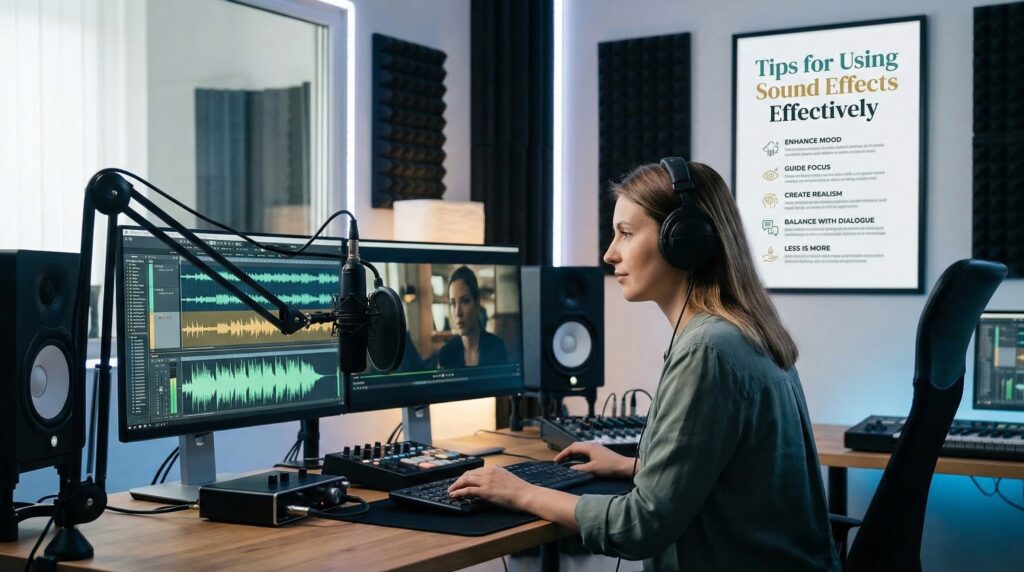
It’s important to balance sound levels to not overwhelm your audience. Sound effects should enhance dialogue and background music without being too loud. Aim for a balance where sound effects support the visuals without taking over.
Match the Effect to the Visuals
Matching sound effects with visuals is key for a believable experience. For instance, a door slamming should have a sound effect that matches the visual. This makes the scene feel real and grabs the viewer’s attention.
Limit Overuse of Effects
While sound effects are great, using too many can be bad. Too many can make the audio confusing and hard to follow. It’s best to pick sound effects that really add to the scene.
| Video Genre | Common Sound Effects Used | Purpose of Sound Effects |
|---|---|---|
| Action/Adventure | Explosions, sword clashes, footsteps | Create tension and excitement |
| Documentary | Ambient noises, interview room sounds | Enhance realism and atmosphere |
| Animation | Magical sounds, cartoonish impacts | Add humor and fantasy elements |
Learning to use sound effects well can greatly improve your videos. It makes them more engaging and enjoyable for viewers.
Editing and Integrating Sound Effects into Videos
To make your video stand out, you need to get good at editing and adding sound effects. This means following a few steps to make sure your video looks and sounds great. Editing free sound effects for videos is simple with most modern video software.
Video Editing Software Options
First, you need the right video editing software. There are many choices, from free to very expensive.
Popular Video Editing Software
| Software Name | Platform | Beginner Friendly | Professional Features |
|---|---|---|---|
| Adobe Premiere Pro | Windows, Mac | No | Yes |
| Final Cut Pro | Mac | No | Yes |
| DaVinci Resolve | Windows, Mac, Linux | Yes | Yes |
| iMovie | Mac | Yes | No |
| Shotcut | Windows, Mac, Linux | Yes | Yes |
The software you choose depends on your needs and skill level. For example, iMovie is good for Mac beginners. But for more advanced features, Adobe Premiere Pro and Final Cut Pro are top choices.
Importing and Adjusting Sounds
After picking your software, import your sound effects. Most programs let you add audio in different formats. Then, you can tweak the sound levels, cut clips, and add effects. Most editing programs support importing free sound effects for videos in various formats for easy integration.
To import and adjust sounds well:
- Import your audio files: Use the software’s import function to add your sound effects to the project.
- Adjust sound levels: Make sure the sound effects match the rest of your audio, like dialogue and music.
- Trim and edit: Cut the sound effects to fit exactly where you want them in your video.
Syncing Effects with Footage
Syncing sound effects with your footage is key for a believable video. It means the sound effects should match the actions or events on screen perfectly.
To sync effects with your footage:
- Identify key moments: Find the exact points in your video where you want to add sound effects.
- Place the sound effect: Drag and drop the sound effect into your timeline at the right moment.
- Fine-tune the timing: Adjust the sound effect’s start time to match the action on screen.
By following these steps and using the right tools, you can greatly improve your video with professional sound effects.
Proper Attribution and Licensing Considerations
When you add free sound effects to your videos, it’s important to follow licensing rules. This keeps you safe legally and shows respect to the sound effect creators. Always check the license terms when using free sound effects for videos to ensure proper attribution.
Understanding Copyright
Copyright law protects original works, like sound effects. It’s key to know the copyright rules for free sound effects. Most are licensed for personal or commercial use, but some have limits.
For example, some sound effects might have a Creative Commons license. This license lets you use the sound in many ways, as long as you follow its rules. Always check the license of the sound effect you’re using.
Creative Commons Licenses Explained
Creative Commons licenses give creators options for sharing their work. They let artists share their work while keeping some rights. There are many Creative Commons licenses, each with its own rules about attribution, commercial use, and changes.
| License Type | Attribution Required | Commercial Use Allowed | Modifications Allowed |
|---|---|---|---|
| CC BY | Yes | Yes | Yes |
| CC BY-NC | Yes | No | Yes |
| CC BY-ND | Yes | Yes | No |
| CC BY-NC-ND | Yes | No | No |
Giving Credit to Creators
It’s not just about following the law when you give credit to sound effect creators. It’s also a way to support the community. When you need to, make sure to give proper attribution. This usually means mentioning the creator’s name and linking to the original work or license.
For example, if you use a sound effect from Freesound.org, you might need to credit the uploader. A simple statement in your video’s description or credits works, like: “Sound effect courtesy of [Username] from Freesound.org.”
Popular Trends in Free Sound Effects for Videos
Sound effects are key in video production, and new trends are making them even more powerful. When making your next video, using the latest sound effect trends can make it stand out. It will grab your audience’s attention.
Sound effects in videos have evolved, with new trends that improve the viewer’s experience. Let’s explore some of these trends. Staying updated with new free sound effects for videos helps keep your content fresh and relevant.
Ambient Sounds
Ambient sounds are now popular for creating immersive experiences. They can take your viewers to different places, like quiet forests or busy cities. Adding ambient sounds to your videos can make them more engaging and immersive.
In documentary filmmaking, ambient sounds help recreate historical settings. This makes the story more believable and interesting. You can find many ambient sound effects in video sound libraries, making it easy to add them to your projects.
3D Audio
3D audio technology has changed how we use sound effects in videos. It creates a more immersive audio experience, making sounds seem to come from all around. This technology can make your videos more realistic and engaging for viewers.
3D audio is great for cinematic sound effects. It lets you place sounds precisely in the audio space to match the visuals. This is very effective in gaming and animation, where it enhances the immersive experience.
Vintage and Retro Effects
Nostalgia is powerful in video production, and vintage or retro sound effects can add charm. These effects can make your content more relatable and engaging by evoking nostalgia in viewers.
| Trend | Description | Use Cases |
|---|---|---|
| Ambient Sounds | Creates immersive environments | Documentaries, Film, Animation |
| 3D Audio | Provides a realistic audio experience | Gaming, Animation, Cinematic Productions |
| Vintage/Retro Effects | Adds nostalgic value | Retro-themed videos, Advertisements, Short Films |
By keeping up with the latest sound effect trends, you can make your videos more engaging and competitive. Whether you’re using ambient sounds, 3D audio, or vintage effects, the right sound effects can greatly enhance your content.
Case Studies: Successful Uses of Sound Effects
Sound effects grab your attention and send the right message in videos. They make watching videos more enjoyable. Many successful creators rely on free sound effects for videos to achieve a professional sound without extra costs. By using the right audio effects, creators can improve the viewer’s experience.
Sound effects work in many types of videos, like documentaries, ads, and short films. Let’s look at some examples of how sound effects have been used successfully in these areas.
Documentaries
Documentaries use sound effects to make history come alive. For example, a World War II documentary might include sounds of gunfire and planes. This helps viewers feel like they’re there.
- Archival sounds add authenticity
- Sound effects recreate historical settings
- Music and sound effects evoke feelings
For documentaries, getting sound effects from trusted sources can improve quality. Free sound effect websites are great for documentary makers.
Advertisements
In ads, sound effects grab attention and stick with you. A good sound effect can make an ad memorable and fun to watch.
- Sound effects highlight product features
- Consistent sound design creates a brand feel
- Sound effects add emotional depth
Advertisers should use sound effects that connect with their audience. This makes their messages more powerful.
Short Films
Short films are all about creative storytelling, and sound effects are key. By choosing the right sound effects, filmmakers can create a deep audio-visual experience.
For instance, a short film might use sound to build tension or mark key moments. Good sound effects can make the story more compelling.
Filmmakers can download sound effects from online sources. This helps them find the perfect audio to enhance their story.
Final Thoughts on Free Sound Effects
Now that you’ve explored free sound effects, you can make your videos better. You can add professional sound effects that grab your audience’s attention. With so many free sound effects for videos available, there’s no reason not to enhance your next project.
Unlocking Creative Possibilities
Free sound effects save you money and open up new creative doors. You can find a huge library of top-notch audio clips. These can make your stories more engaging and your videos more immersive. If you’re looking for professional-quality audio without spending money, resources like 99Sounds are a great place to start.
Experiment and Innovate
Don’t hesitate to try out different sound effects for your project. Mix and match to create a unique audio identity. This can make your videos stand out.
Join the Community
Keep improving your videos with professional sound effects. Think about joining online communities of creators who love high-quality audio. You can learn, share ideas, and keep up with new sound design trends.