Did you know over 80 percent of smart software projects fail to reach people because of high server costs? Many developers get stuck because launching their projects needs a big budget and technical skills. This often stops great ideas from being shared. But now, you can overcome this challenge without spending a dime. With free Netlify hosting for AI apps, you can launch your software right away. It takes away the worry of server management, so you can focus on your code and users.
This method makes AI applications hosting easier by providing a simple deployment process. You’ll see how easy it is to link your repository and watch your project go live in seconds. It’s time to let your digital tools reach their full power and solve real-world problems.
We’re here to guide you through this exciting journey. By following a few simple steps, you can turn your local scripts into global solutions. Let’s see how these modern services can change how you build and share your work.
Key Takeaways
- Discover how to launch projects without initial infrastructure costs.
- Learn the benefits of automated deployment pipelines for your code.
- Understand how to connect your repositories for instant live updates.
- Explore the user-friendly interface designed for modern developers.
- See how scaling your digital tools becomes easier with cloud services.
- Focus more on innovation than complex server management.
Introduction to Free Netlify Hosting for AI Apps
Netlify makes hosting your AI apps easy. It’s more than a hosting platform. It’s a suite of tools that simplifies web app development and deployment, including AI apps.

Today, many developers build applications using AI builders such as Google AI Studio, Lovable, Bubble, or Glide. These platforms allow creators to generate functional web apps quickly. Once the project is ready, the next step is deployment. Hosting platforms like Netlify make it easy to publish these AI-generated applications online.
What is Netlify?
Netlify helps you build, deploy, and manage web projects easily. It has features like continuous deployment and serverless functions. These make it great for hosting AI apps. Moreover, free Netlify hosting for AI apps allows you to deploy projects directly from your Git repository in seconds.
Some key features of Netlify include:
- Automated builds and deployments
- Serverless functions for dynamic backend logic
- Global CDN for fast content delivery
- Easy integration with Git repositories
Benefits of Using Netlify for Hosting

Netlify is perfect for hosting AI apps. It offers several benefits. These include:
- Simplified Deployment: Netlify’s continuous deployment feature lets you automatically build and deploy your app. This happens whenever you push changes to your Git repository.
- Scalability: You don’t have to worry about scaling your infrastructure as your app grows. Netlify handles it for you.
- Performance: Netlify’s global CDN ensures your app loads quickly for users worldwide.
For example, free Netlify hosting for AI apps is ideal when you want to quickly test new ideas without spending on servers.
Overview of AI Applications and Their Needs
AI apps have unique needs. They require complex computations, large datasets, and real-time processing. Netlify supports these needs with its serverless functions and integrations with AI and machine learning services.
Some specific needs of AI applications include:
- High-performance computing resources
- Integration with machine learning models and APIs
- Real-time data processing capabilities
Getting Started with Netlify
Netlify makes deploying AI apps easy. It starts with creating an account and setting up your project. This guide will help you get started with deploying your AI app on Netlify. Therefore, free Netlify hosting for AI apps is a great starting point for beginners and experienced developers alike.


Creating a Netlify Account
To use Netlify, first create an account. It’s quick and takes just a few minutes. You can sign up with GitHub, GitLab, Bitbucket, or email. Linking your Git account makes importing repositories easy.
After signing up, you’ll go through an easy onboarding. It helps you set up your first project. You’ll choose how to deploy and set basic site or app settings.
Setting Up Your First Project
After your account is ready, set up your first project. Netlify lets you deploy from your Git repository. You can pick from frameworks, templates, or start fresh. The main steps are:
- Choose your project repository from your Git account.
- Set up build settings, like the build command and publish directory.
- Set environment variables if needed.
| Step | Description | Example |
|---|---|---|
| 1. Repository Selection | Choose the repository you want to deploy. | Select your AI app repository from GitHub. |
| 2. Build Configuration | Specify how your project should be built. | Use npm run build for a Node.js project. |
| 3. Environment Variables | Set variables required for your project’s runtime. | Set API_KEY for your AI model’s API. |
Connecting to Your Git Repository
Connecting your Git repository to Netlify is key for continuous deployment. It lets Netlify update your site or app with new changes. This keeps your AI app current.
To connect, follow the prompts in your Netlify dashboard. Authorize access to your Git account. Then, pick the repository to deploy and set deployment settings.
By following these steps, you’ll deploy your AI app on Netlify. It’s ready for development and scaling. Netlify’s easy deployment and integration make it great for AI and machine learning apps.
Key Features of Netlify for AI Solutions
Netlify is a great choice for developers who need to host AI solutions. It offers a flexible hosting environment. This platform supports AI applications with features that make development and deployment easier.
Continuous Deployment and Integration
Netlify excels in continuous deployment and integration. It automatically rebuilds and redeployes your site when you update the code. This ensures your users always get the newest version.
This is super helpful for AI apps. They often need updates quickly. With Netlify, you can focus on improving your AI without worrying about deployment. Furthermore, free Netlify hosting for AI apps comes with automatic HTTPS and global CDN support.
Serverless Functions for AI Features
Netlify’s serverless functions are a big plus for AI apps. They let you run code without managing servers. This is perfect for AI tasks that have changing needs.
For example, you can use serverless functions for image processing or predictive modeling. This saves money and makes your app more reliable and scalable.
| Feature | Description | Benefit for AI Applications |
|---|---|---|
| Serverless Functions | Run code without managing servers | Scalability and cost-effectiveness for variable AI workloads |
| Continuous Deployment | Automatic rebuilds and redeploys upon code changes | Ensures users always have the latest AI application version |
| Built-in CI/CD Pipelines | Automated testing and deployment pipelines | Streamlines development and reduces errors in AI applications |
Built-in CI/CD Pipelines
Netlify’s CI/CD pipelines are a big advantage for AI app development. They automate testing and deployment. This means your app is thoroughly checked before it’s released.
Using Netlify’s CI/CD, you can find errors early. This is key for AI apps, where small changes can have big effects. It helps ensure your app works well for users.
In summary, Netlify is a top choice for hosting AI apps. It offers a free service that makes developing AI apps easier.
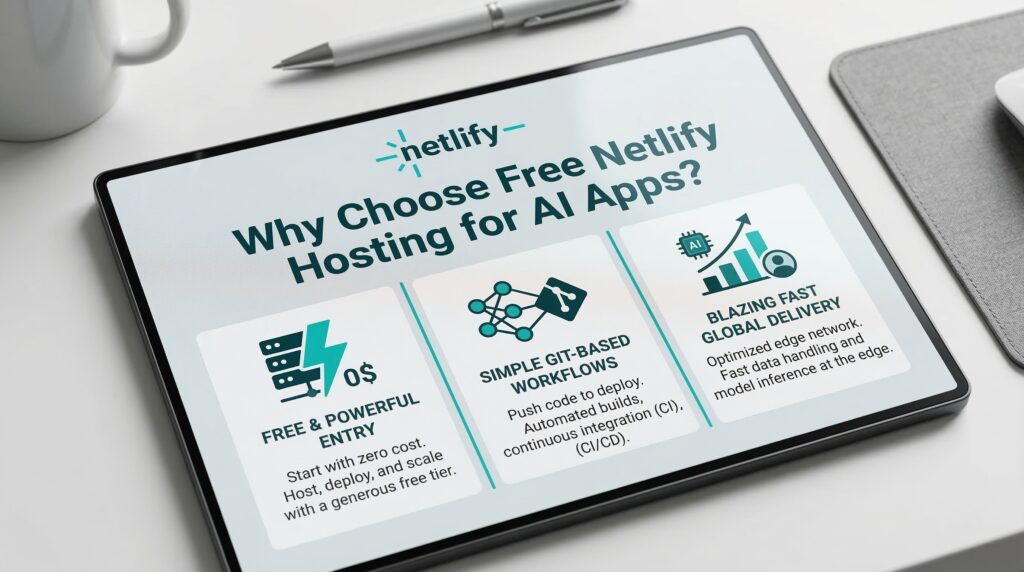
Why Choose Free Netlify Hosting for AI Apps?
Free hosting for AI apps is great for developers who want to save money without losing performance. It’s key to know the perks of free hosting to make your AI app project a success. As a result, free Netlify hosting for AI apps has become a go-to solution for many indie AI developers.
Cost Savings for Developers
Choosing free hosting for AI apps can save you a lot of money. Services like Netlify help cut down on costs. This is super helpful for solo developers or small teams with tight budgets.
Perfect for Prototyping and MVPs
Free hosting is perfect for testing and making MVPs for AI apps. It lets you try out ideas, get feedback, and improve without spending a lot. This is really important in the early stages of AI app making.
Incentives for Learning and Experimenting
Free hosting for AI apps is also a safe space to learn and try new things. Developers can play with different AI tools and frameworks without worrying about the cost.
Let’s look at the differences between free and paid hosting for AI apps:
| Feature | Free Hosting | Paid Hosting |
|---|---|---|
| Cost | $0 | Varies ($10-$100+ per month) |
| Scalability | Limited | Highly Scalable |
| Support | Community Support | Dedicated Support |
| Ideal For | Prototyping, MVPs, Learning | Production Environments, Large Scale Apps |
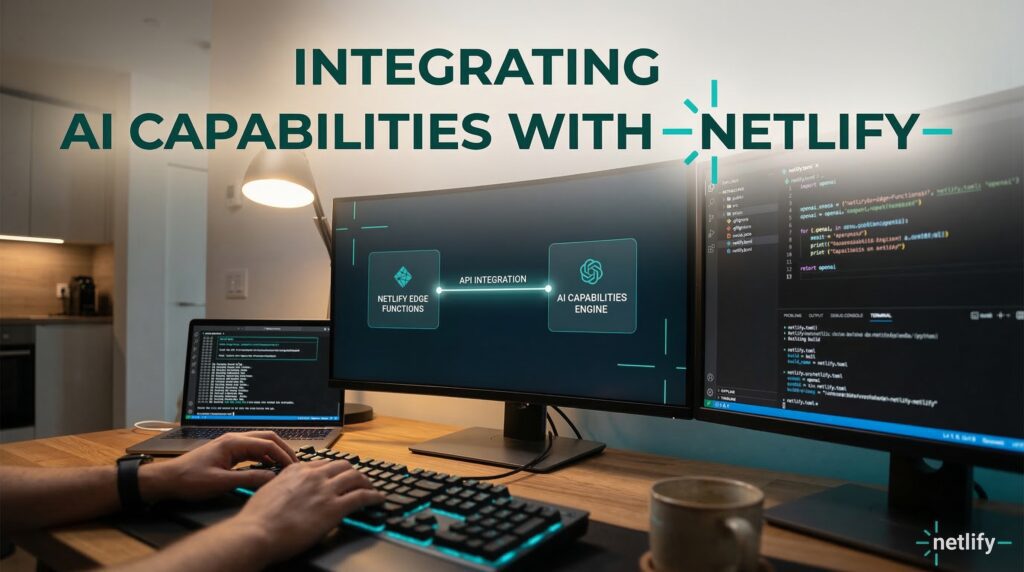
Integrating AI Capabilities with Netlify
To make the most of Netlify for AI apps, knowing how to add AI features is key. Netlify offers a strong platform for adding AI to your apps. This boosts their function and performance. In addition, free Netlify hosting for AI apps makes it very easy to integrate third-party AI APIs.
There are several ways to add AI to your Netlify apps. We’ll look at three main methods: using APIs, machine learning models, and serverless functions.
APIs for AI Integration
APIs are vital for adding AI to your Netlify apps. They let you add features like text analysis, image recognition, and predictive analytics easily.
- Natural Language Processing (NLP): APIs like Google Cloud Natural Language or Stanford CoreNLP can analyze text, sentiment, and entities in your app.
- Image Recognition: Services like Amazon Rekognition or Google Cloud Vision API help your app identify objects, faces, and text in images.
- Predictive Analytics: APIs from providers like Salesforce Einstein or Microsoft Azure Machine Learning help forecast trends and make data-driven decisions.
As Andrew Ng said, “AI is the new electricity. Just as electricity changed many industries, AI will do the same.” By using AI APIs, you’re making your apps smarter and more user-friendly.
Leveraging Machine Learning Models
Machine learning models are central to AI apps. Netlify makes it easy to add these models, so your apps can learn and get better over time.
To use machine learning models well:
- Pick a machine learning framework (like TensorFlow, PyTorch) that fits your project.
- Train your model with the right data to make accurate predictions or classifications.
- Deploy the model to a cloud service like AWS SageMaker or Google Cloud AI Platform, accessible via APIs.
By adding machine learning models, your apps can adapt to user behavior. This gives users a more personalized experience.
Serverless Functions for AI Processing
Serverless functions in Netlify let you run code without managing servers. They’re great for AI tasks because they’re efficient.
Serverless functions offer several benefits for AI processing:
- Scalability: They scale automatically to handle workload changes, keeping your apps responsive.
- Cost-Effectiveness: You only pay for the time you use, saving on idle resources.
- Simplified Development: Focus on AI code without worrying about infrastructure.
You can use serverless functions for tasks like image processing, user input analysis, or predictive model inferences. As
“Serverless computing is a paradigm shift in how we build and deploy applications.”
— this quote shows the power of serverless functions in modern app development, including AI-driven ones.
Best Practices for Free Netlify Hosting for AI Apps
When you host your AI apps on Netlify, a few key strategies can greatly improve their performance and reliability. Netlify’s infrastructure is built to handle a wide range of applications, including AI ones. To get the most out of it, following best practices for AI apps is essential.
Optimizing Performance and Load Times
AI apps can be very demanding. To optimize performance on Netlify, consider these strategies:
- Use serverless functions for tasks that are too heavy for your main app.
- Implement caching for data that’s often accessed to speed up load times.
- Make your machine learning models as light as possible without losing accuracy.
These steps can make your AI app much faster and more responsive. Consequently, free Netlify hosting for AI apps enables faster iteration cycles during the development phase.
Effective Use of Assets and Resources
Managing assets and resources well is key for a smooth user experience. Here are some tips:
- Use Netlify’s asset optimization to automatically make your assets smaller and faster.
- Take advantage of CDNs (Content Delivery Networks) to spread your assets around the world, cutting down on latency.
- Make sure your AI app’s resources can grow with demand.
Ensuring Security and Data Privacy
Security and data privacy are critical, even more so for AI apps that deal with sensitive data. To keep your app safe:
- Use end-to-end encryption for data both in transit and stored.
- Netlify’s built-in security tools, like SSL/TLS certificates, can help secure your app.
- Keep your dependencies and libraries up to date to avoid security risks.
By following these best practices, your AI app on Netlify will be fast, secure, and reliable.
Common Issues and Troubleshooting
To keep your AI apps running well on Netlify, knowing common problems and how to fix them is key. Deploying AI apps on Netlify can be tricky. Knowing the usual issues can save you a lot of time and effort.
However, free Netlify hosting for AI apps does come with certain usage limitations on the free plan.
Frequently Encountered Problems
When hosting AI apps on Netlify, you might face several issues. These include:
- Dependency conflicts due to incompatible library versions
- Timeouts during the build process, which can be a problem for big projects
- Serverless function limitations, like time limits for execution
- Issues with environment variables not being set right
Knowing these common problems helps you prepare and lessen their impact on your project.
| Issue | Description | Potential Solution |
|---|---|---|
| Dependency Conflicts | Incompatible library versions causing build failures | Use a consistent package manager and regularly update dependencies |
| Build Timeouts | Large projects exceeding Netlify’s build time limits | Optimize build processes, split large projects into smaller ones |
| Serverless Function Limits | Exceeding execution time or memory limits for serverless functions | Optimize serverless functions, consider using more efficient algorithms |
Community Resources for Support
Netlify has a lively community and lots of resources for troubleshooting. You can:
- Visit the Netlify Community Forum for discussions and solutions to common issues
- Check the Netlify Documentation for detailed guides on features and configurations
- Reach out to Netlify Support for personalized assistance
Using these resources can greatly cut down the time you spend on fixing problems.
Tips for Effective Troubleshooting
When troubleshooting AI applications on Netlify, follow these best practices:
- Reproduce the issue in a controlled environment to understand its cause
- Check the Netlify logs for error messages and clues
- Isolate the problem by testing different components or configurations
- Consult the community resources and documentation for known solutions
By using a systematic approach to troubleshooting, you can quickly find and fix issues. This ensures your AI applications stay stable and work well.
Maximizing Netlify’s Features for AI Development
To get the most out of Netlify for your AI apps, explore its advanced features. This will enhance your development workflow and improve your AI apps’ performance.
Advanced Configuration Options
Netlify offers advanced configuration options for your AI apps. You can customize your build settings to optimize performance and load times.
For example, you can manage sensitive data and API keys securely. This is key for AI apps that use machine learning models and external APIs.
- Customize build settings for optimized performance
- Manage environment variables for secure data handling
- Utilize redirects and headers for improved routing
Similarly, free Netlify hosting for AI apps works excellently with modern frontend frameworks like Next.js and Astro.
Using Add-ons and Plugins
Netlify’s ecosystem has many add-ons and plugins for AI development. These tools add extra functionality, like authentication and analytics.
For instance, Netlify Identity helps manage user authentication. This is great for apps that need to process user-specific data.
| Add-on/Plugin | Description | Use Case for AI Apps |
|---|---|---|
| Netlify Identity | User authentication and authorization | Managing user-specific data processing |
| Netlify Forms | Handling form submissions | Collecting user input for AI model training |
| Netlify Analytics | Analyzing application performance | Monitoring AI application usage and performance |
Integrating Third-Party Services
Netlify lets you integrate third-party services into your AI apps. This adds complex AI features to your applications.
You can integrate a machine learning model from AWS SageMaker into your Netlify app. This lets you use the model’s predictive abilities in your app.
When integrating third-party services, make sure to follow security and data privacy best practices. This includes securely managing API keys and credentials.
Case Studies: Successful AI Apps on Netlify
Netlify’s free hosting for AI apps lets you focus on creating top-notch AI solutions. Its strong platform makes it easy for developers to launch AI projects. This is thanks to its features designed for today’s web apps.
Many case studies show how well Netlify hosts AI apps. They show how versatile Netlify’s hosting is. They also highlight how AI can be used in web apps in new ways.
Besides, free Netlify hosting for AI apps provides generous bandwidth even on the free tier.
Inspiring Examples of AI Implementations
An AI chatbot was built using Netlify’s serverless functions. It used machine learning to offer personalized chats. This greatly improved user interaction.
An AI image recognition service was also developed. Thanks to Netlify’s continuous deployment, the team could quickly update and improve their model.
- AI-powered chatbots for customer service
- Image recognition services for content moderation
- Predictive analytics for personalized recommendations
Lessons Learned from Various Projects
Key lessons from these projects include the value of continuous integration and deployment. Netlify’s CI/CD pipelines helped these projects grow and respond to feedback fast.
Using serverless functions for AI tasks was also a big win. It saved costs and made scaling easier without needing a lot of infrastructure.
Impact on User Engagement and Feedback
The AI apps had a big impact on user engagement. For example, the AI chatbot’s quick responses boosted user happiness.
The image recognition service also made a difference. It gave users more accurate and relevant content, leading to more user loyalty and positive feedback.
| Project | AI Implementation | Impact |
|---|---|---|
| AI Chatbot | Personalized user experiences | Increased user engagement |
| Image Recognition | Content moderation | Improved content relevance |
Future of AI Hosting on Platforms like Netlify
AI technology is growing fast, and hosting solutions need to keep up. Platforms like Netlify are leading the way. They provide the infrastructure needed for AI applications. The future of AI hosting will meet current needs and prepare for new trends.
Trends in AI App Development
AI app development is changing. It’s moving towards more complex and user-friendly apps. Key trends include:
- More use of machine learning for predictive analytics and personalization.
- Higher demand for real-time data processing and instant insights.
- AI being used with IoT devices for better user experiences.
These trends highlight the need for hosting platforms that can handle complex AI tasks. They must also integrate well with other services.
Emerging Features in Netlify
Netlify is always improving to meet developer and business needs. New features will impact AI hosting, such as:
- Better support for serverless functions for AI tasks.
- Improved integration with machine learning frameworks for easier development.
- Enhanced analytics and monitoring tools for better AI app performance.
These features aim to simplify building, deploying, and managing AI apps on Netlify. On the other hand, free Netlify hosting for AI apps might require upgrading once your app gains significant traffic.
Predictions for the Next Big AI Innovations
AI will keep advancing, leading to new innovations. Some possible areas include:
- More advanced AI security to fight new threats.
- Advancements in explainable AI (XAI) for better transparency and trust.
- More use of edge AI for quicker processing and lower latency.
By keeping up with these trends and using platforms like Netlify, developers can thrive in the fast-changing AI world.
The Path Forward with Free Netlify Hosting for AI Apps
Now that you know about Netlify for hosting AI apps, you’re ready to deploy your projects. Ultimately, free Netlify hosting for AI apps allows developers to focus on building great products instead of managing infrastructure. Free Netlify hosting for AI apps means you can start without spending a lot. This is a great chance to bring your ideas to life.
Key Takeaways for AI App Deployment
Deploying AI apps on Netlify is easy. You get continuous deployment and integration. Plus, you can use serverless functions for AI features. Netlify’s CI/CD pipelines keep your apps updated and running well.
Getting Started with Your AI Project
Begin by creating a Netlify account and setting up your project. Connecting to your Git repository is simple. Netlify’s documentation makes it easy. Start today and see how AI app deployment on Netlify works.
Continuing Your Learning Journey
Keep learning by checking out Netlify’s community resources and documentation. Stay current with AI app development trends. Learn how to use Netlify’s features to the fullest for your projects.
FAQ
Is Netlify actually a good choice for free Netlify hosting for AI apps?
Yes, it is! Netlify’s Starter plan is top-notch for free AI app hosting. Their global Edge network makes your app fast. Plus, serverless functions connect your app to AI models smoothly.
How do I handle AI app deployment on Netlify if my project requires heavy computation?
For Netlify AI deployment, offload heavy tasks to AI providers like OpenAI. Use API calls and store API keys securely in Netlify. Netlify Functions act as a bridge, keeping your data safe.
What makes Netlify a reliable AI hosting solution for independent developers?
Netlify’s workflow is efficient. It updates your site automatically when you push code. This lets you focus on improving your AI app, not server management.
Can I use Netlify hosting for machine learning apps that need to scale quickly?
Yes, you can. Netlify scales serverless functions automatically. This means your app can handle sudden traffic spikes without manual setup. It’s great for viral AI tools.
Are there any specific limitations when using a free hosting service for AI applications?
Netlify’s free tier is generous but watch your build minutes and form submissions. It’s perfect for prototypes, MVPs, or experimental projects without upfront costs.
How does Netlify AI deployment protect my proprietary prompts or data?
Security is key. Netlify’s serverless functions keep your AI app’s logic on the server side. This means your prompts and data stay hidden from users, keeping your IP safe.
Can I connect my AI application to a database using Netlify?
Definitely. You can integrate your AI app with databases like MongoDB Atlas or Supabase. This lets your app store data while staying decoupled, a Netlify strength.